 ☰
☰
PARTNER ONBOARDING
Get set up for liftoff
Complete these steps before your partner call so we can hit the ground running. Once your account and referral ID are ready, Justin will build out your custom coupon code and giveaway accounts with you.
01 Sign up
02 Open Affiliates
03 Set your referral ID
04 Book your call
STEP 01
Create your BluSky account
Head to the sign-up page and create your account with your name, email, and a password.
Already purchased a BluSky account? You already have a login, so skip ahead to Step 2.
Create Your Account →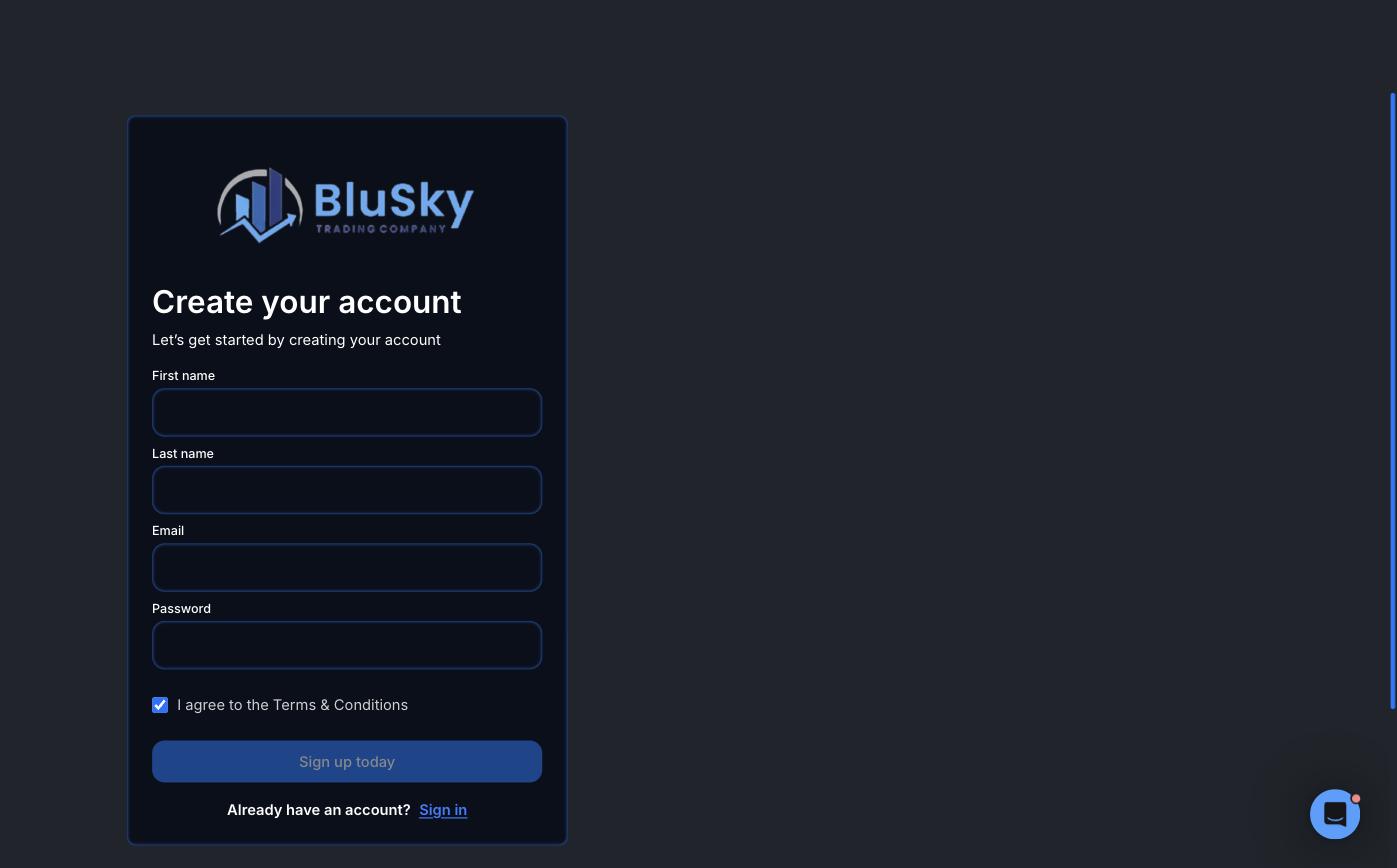
STEP 02
Open the Affiliates section
Log in to the Trader’s Area and click Affiliates in the left menu. The Affiliate Info panel holds everything you need: your registration link, checkout link, and affiliate ID.
Go to Affiliates →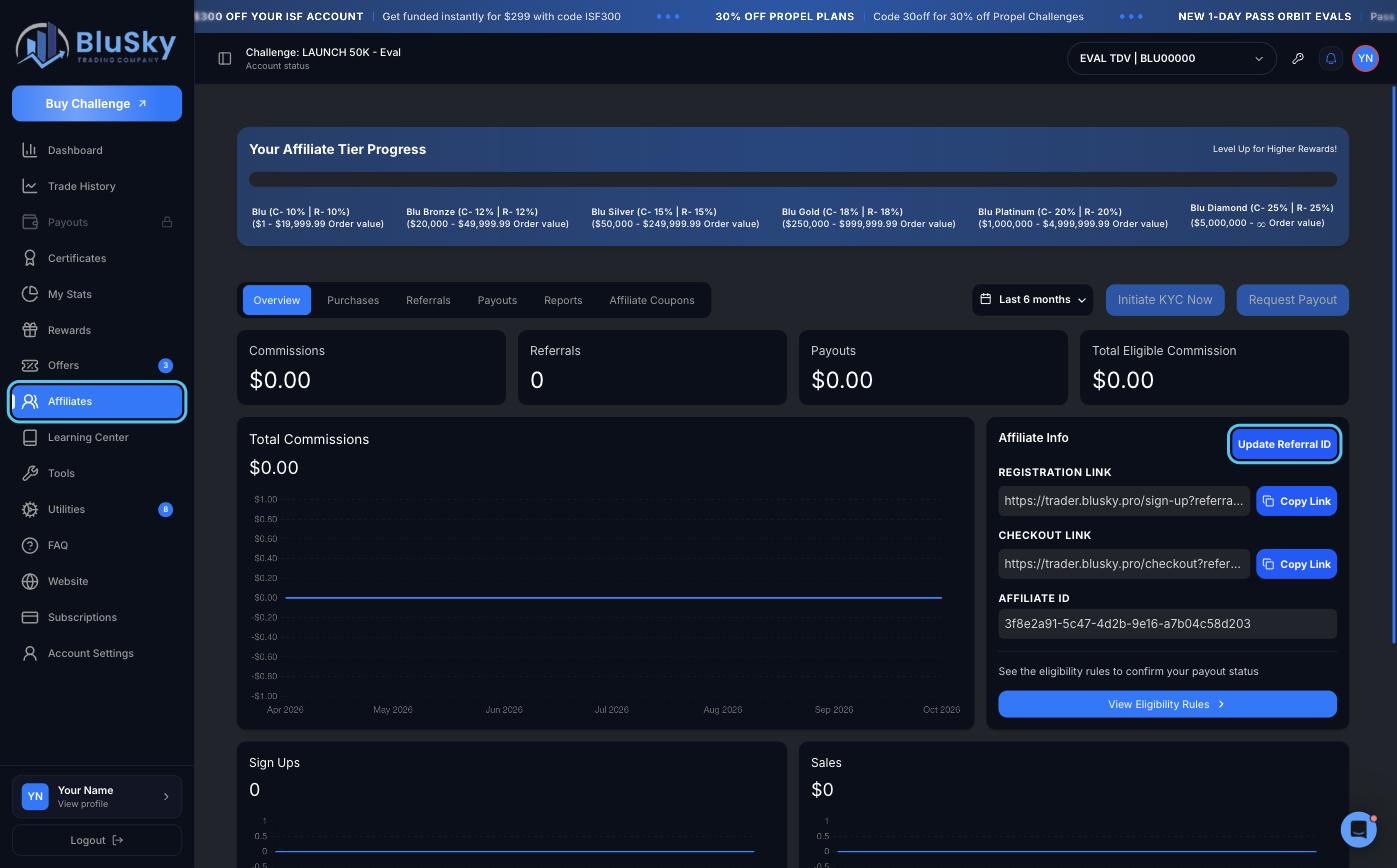
STEP 03
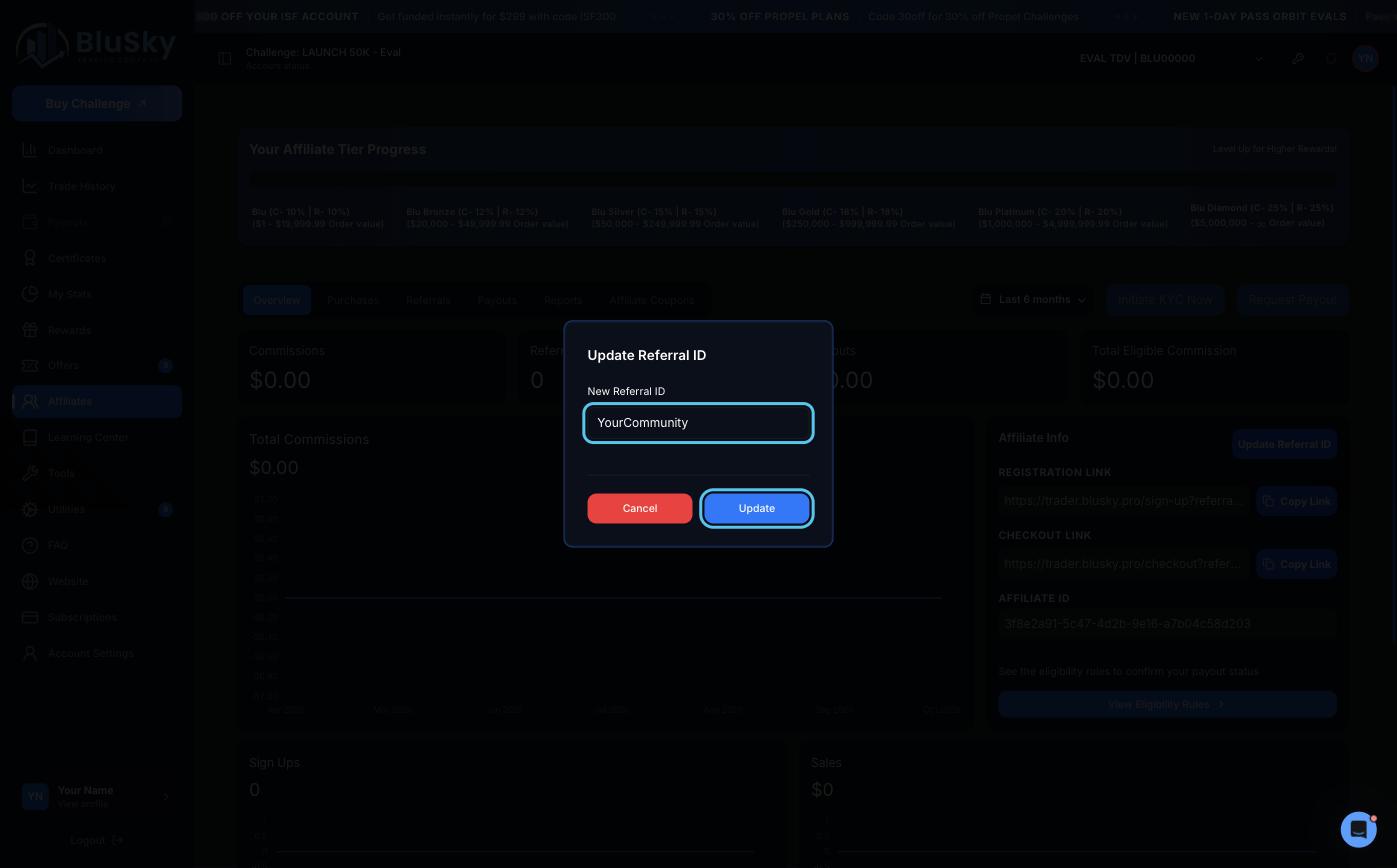
Set your custom referral ID
Click Update Referral ID, enter the name you want, then click Update.
Your referral ID shows up in your registration and checkout links, so pick something your members will recognize, like your community or brand name.
STEP 04
Book your call with Justin
With your account and referral ID ready, tell us a bit about you, then grab time with Justin, our Director of Partnerships. On the call, he’ll:
🔹 Create a custom coupon code for your community
🔹 Deploy giveaway accounts for your members
🔹 Map out your launch with the BluSky team
Questions along the way? Reach us at [email protected]